
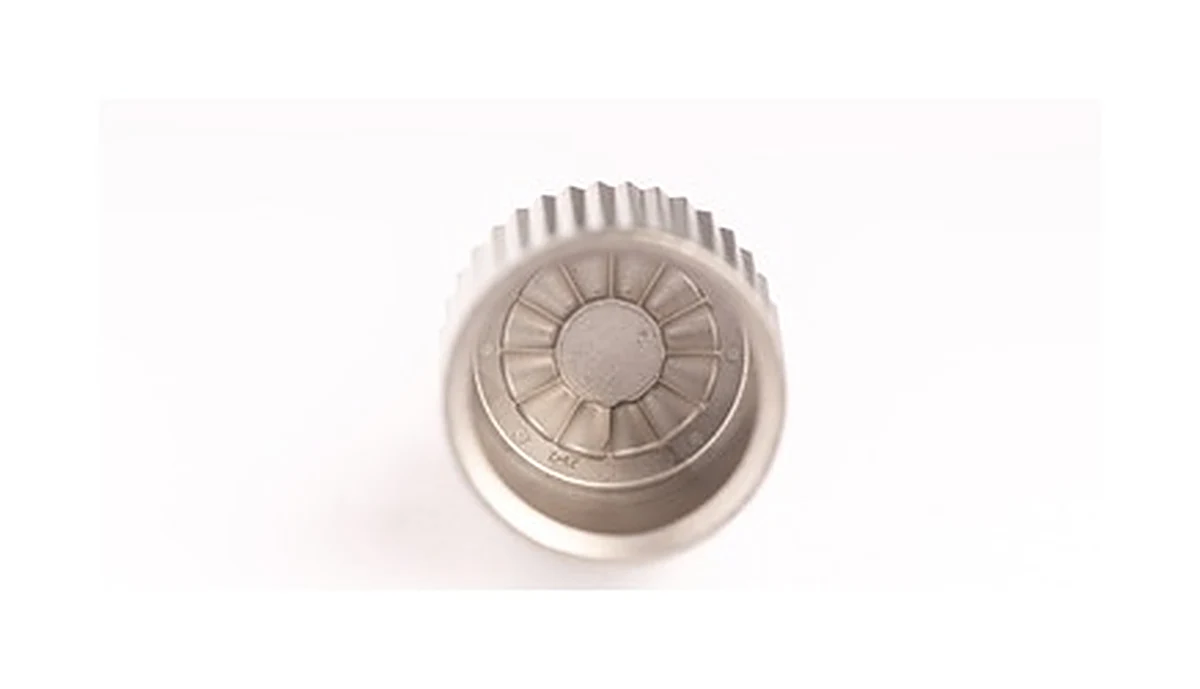
What tool drive components connect between power source and mechanism
Review this component together with its mating parts and delivered condition. The interfaces below define the drawing information needed to assess forming, finishing and inspection.
The catalog group must be resolved to an individual drawing before manufacture.
Driven connection, mounting axis and mating-member interfaces
Specify the driven connection, mounting axis and mating members.
Identify whether the illustrated form works as a rotor, gear, support or another component in the tool.
Why identify the driven member before selecting a process?
The power source does not reveal the part's tooth, shaft or support requirements.
Knowing what it drives and how it mounts turns a broad tool category into an inspectable component definition.
The route comparison can then address the actual geometry and duty.
Machining, PM and forming routes by defined function
Compare machining, PM and other forming routes for the defined function and geometry.
Rotating or load-carrying interfaces require a route-specific finishing plan.
The proposed route is confirmed for your drawing, material and quantity. An image does not establish a fixed tolerance or a complete process specification.
Compare manufacturing capabilities →Tool drive component material, wear treatment and environment requirements
Define material and final treatment against load direction, wear and the operating environment.
Mark surfaces whose fit or contact changes after finishing.
Rated loads, pressure limits and operating life require their own agreed design and acceptance requirements.
Review material-selection information →Drive components: identify the driven member first
This entry describes a group of drive components rather than one part, and the chain cannot be closed until the driven member is named. That is not a formality: it decides which feature is the datum and which one is only an outline.
| Link in the assembly chain | What it adds to the stack | Where to take it out of the chain |
|---|---|---|
| Driven connection | The connection to the driven member is the origin of the torque chain. Its form — spline, flat, keyway, press fit — decides what the part can transmit and what it can tolerate. | Name the connection type on the drawing rather than showing the shape. A shape can be produced to any of several fits and only one of them will behave as intended. |
| Mounting axis | The axis is the link that everything rotates about. Runout at the axis is multiplied by the radius of whatever the part drives. | Reference the axis to the bearing or mounting feature, not to the outer diameter. On a drive part the outer diameter is often a clearance surface and tolerancing it as a datum adds cost without function. |
| Mating member identity | The chain runs across the mating member, so its tolerance is a contributor that belongs to someone else. Left unnamed, it is silently absorbed by this part. | List the mating member and its relevant tolerance on this drawing. It is unusual to do so and it is the reason most drive-part enquiries cannot be answered in one round. |
| Wear surfaces along the drive | Wear moves the clearance over the life of the tool. It is a link that is correct at assembly and wrong at end of life, which is the hardest kind to specify. | State the wear requirement as a life condition rather than as a surface hardness alone. Hardness is a means; the requirement is what the clearance has to still be after the service interval. |
| Dust and debris environment | Power tools run in dust. Debris enters the drive and changes the effective clearance before wear does, which is why a well-specified clearance can still fail early. | Treat ingress as part of the operating condition. It affects alloy choice and surface treatment, and both are process decisions rather than tolerance decisions. |
Note. The links below describe how error accumulates in an assembly, not how to allocate tolerance for a specific drawing. Which link should carry the accumulation is a design decision that belongs to whoever owns the assembly; the supplier can only hold what the drawing names. Nothing here states an achievable tolerance for any dimension.
The most useful thing a buyer can send for this group is the mating member alongside the part. With both, the chain is short and the route follows; with only one, every answer is conditional and the quotation cycle repeats.
Drive engagement, locating geometry and operating-duty checks
Check drive engagement, locating geometry and the agreed operating duty.
Any balance, pressure or torque requirement must be stated explicitly.
Specify the drawing revision and the condition in which each dimension is inspected. Record the agreed dimensional and functional checks before sample approval.
Quality documentation →Prepare a Product-Specific RFQ
- Component definition. Send the 2D drawing and 3D model, where available, with the drawing revision and the requested part or assembly scope.
- Mating information. Include the assembly references needed to define the interfaces discussed above.
- Delivered condition. State material, finishing and inspection requirements, identifying any items that need a manufacturing recommendation.
- Supply plan. Include sample needs, expected order and annual quantities, packaging requirements and target timing.
Product Questions
Can the power source alone determine the manufacturing route?
No. The component's geometry, loads, material and quantity determine the useful route comparison.
Why identify the driven member before selecting a process?
The power source does not reveal the part's tooth, shaft or support requirements. Knowing what it drives and how it mounts turns a broad tool category into an inspectable component definition. The route comparison can then address the actual geometry and duty.
How should the part be checked in the tool or mechanism?
Check drive engagement, locating geometry and the agreed operating duty. Any balance, pressure or torque requirement must be stated explicitly.
Technical Context
The product-specific notes above identify drawing-review questions. General process and material references are collected separately; they do not verify a material grade, production qualification or performance claim for the pictured part.
Manufacturing and material references →Application, manufacturing and RFQ review
Use these points to prepare a review of a similar component. The illustration does not define a standard supply specification.
- Identify the component function and moving or loaded interfaces.
- Describe the operating cycle, environment and mating material.
- Mark controlled datums, finish and final acceptance checks; confirm the route from the drawing.
Related guide: MIM vs. CNC for Small Complex Metal Parts: A Drawing Review Checklist
Submit your drawing for a manufacturing-route review →